
Mould Wizard in Siemens NX: Automate Mould Design Without Losing Control
A practical guide to Siemens NX Mould Wizard — parting, core/cavity extraction, mould base, cooling, gates and slider & lifter mechanisms — and how to use automation the right way.
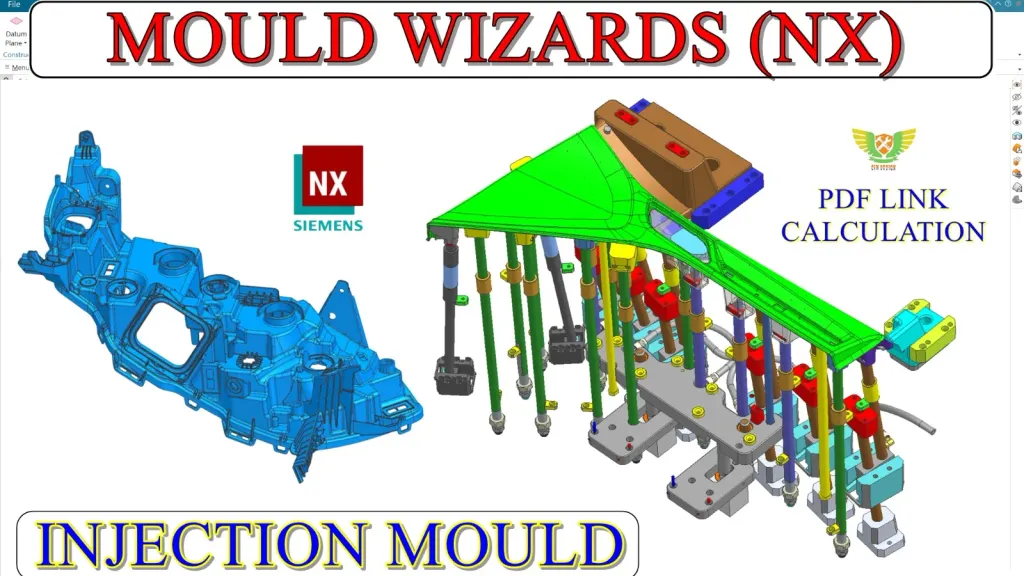
Automation is a superpower only when you understand what it’s automating. Siemens NX Mould Wizard can turn a plastic part into a complete tool remarkably fast — but it rewards designers who know the underlying logic and punishes those who click through blindly. Here’s how to use it well.
What Mould Wizard actually does
Mould Wizard is a structured, library-driven workflow layered on top of NX. Instead of building every plate and standard component by hand, you drive the design through guided steps: initialise the project, set shrinkage, define the workpiece, create the parting, extract core and cavity, add a mould base, then feeding, cooling and ejection. The libraries keep everything standard and manufacturable.
Parting and core/cavity: get this right first
The Wizard is only as good as your parting. Spend real time on:
- Parting line and parting surface creation across several part cases.
- Core and cavity extraction, including trickier covers and multi-region parts.
- Diagnosing when the automatic parting fails and repairing it manually.
Working multiple cases — card holders, covers, saw covers and similar parts — builds the judgement to trust or override the automation.
Build the tool with standard components
Once core and cavity are clean, Mould Wizard accelerates the rest:
- Mould base selection and sizing from standard catalogues.
- Ejection system — ejector pins and layout from the library.
- Cooling channels — circuit layout for even, fast cooling.
- Gate design — choosing and placing the right gate for the part.
Because these come from standards, your tool stays consistent with what suppliers and toolrooms expect.
Master the mechanisms
Undercuts are where automation needs a skilled hand. The essential mechanisms are:
- Sliders for external undercuts.
- Lifters for internal undercuts, complete with lifter calculations so the travel and angle are correct.
Getting the calculation right is what keeps the mechanism from binding or under-travelling in production.
Speed without sacrificing understanding
The goal is not to memorise button sequences — it’s to pair the Wizard’s speed with a mould designer’s judgement. When you understand parting, feeding, cooling and mechanisms manually, Mould Wizard becomes a force multiplier: you deliver production-ready tools faster than manual designers while still being able to debug anything the automation gets wrong.
Next steps
If you’re comfortable with NX modelling and basic mould concepts, Mould Wizard is the natural way to level up your throughput. Combine it with a strong grasp of manual parting and injection mould fundamentals, and you’ll be equipped to take a part from CAD to complete tool with confidence.
Frequently asked questions
- What is Mould Wizard in NX?
- Mould Wizard is Siemens NX's dedicated, semi-automated mould design toolset. It guides you through parting, core/cavity extraction, mould base build-up, feeding, cooling and ejection using standard libraries.
- Should I learn manual mould design or Mould Wizard first?
- Understand the manual logic of parting and core/cavity so you can judge and fix what the Wizard produces. Then Mould Wizard makes you dramatically faster on production tooling.
- Does Mould Wizard handle sliders and lifters?
- Yes. The course covers slider and lifter mechanisms with lifter calculations, along with mould base, cooling channel layout and gate design.